
 EN
EN
 UK
UK
 RU
RU
 AR
AR
 BN
BN
 ZH
ZH
 DE
DE
 ES
ES
 FR
FR
 HI
HI
 ID
ID
 UR
UR
 PT
PT
 TR
TR
Most account bans do not start with a critical mistake. They start with an unnoticed match. Two profiles share one minor technical detail, the anti-fraud system notices this, and a cluster that took weeks to build collapses in a single day. The most frustrating part is that the specialist usually does everything they consider important: different logins, different passwords, fresh proxies for each account. The link is discovered where no one was looking.
This article will discuss such blind spots. Here we analyze the signals that actually link profiles together, explain why a standard browser cannot hide them, and show how an antidetect browser like Afina is designed to maintain the independence of each identity.
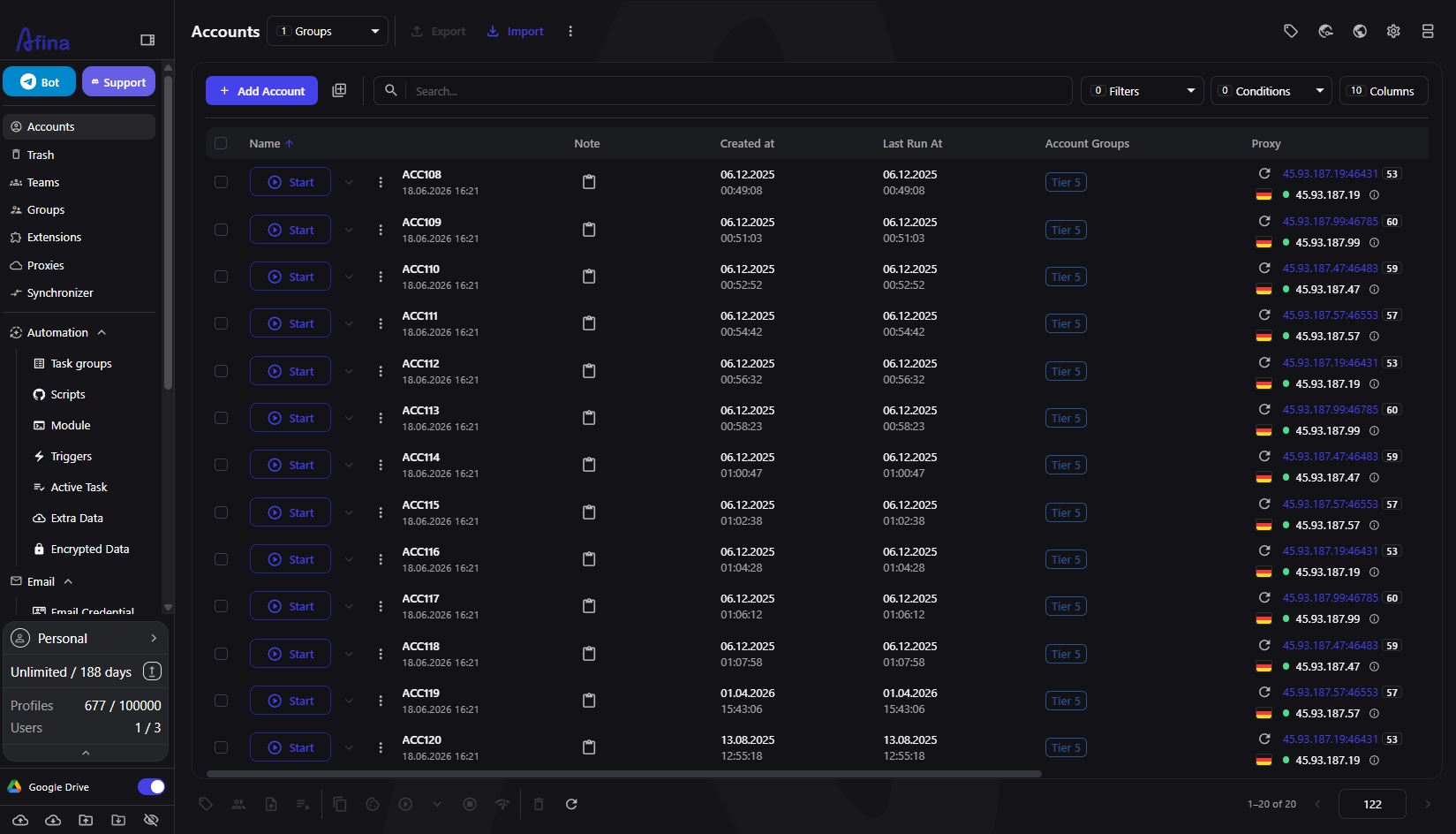
The Illusion of Separate Accounts
It seems that a clean login and a unique IP are quite enough. But this is not the case. The browser transmits a long list of parameters to every site it visits, and many of these parameters persist even after logging out, clearing cookies, and even changing the proxy.
The User agent reports your operating system and browser build. Canvas, WebGL, and audio tests measure exactly how your hardware renders content. Screen resolution, installed fonts, the number of CPU threads, device memory, timezone, and language headers—all of this adds details. Individually, they look harmless. Collected together, they form a digital fingerprint that often turns out to be stable enough to recognize the same device across different accounts.
Therefore, when ten profiles are launched from one standard browser, they can share a single common digital fingerprint. The proxies are different, the passwords are different, but the device signature is identical. For a detection system that reads consistency, this is a cluster with ten identical name badges. Looking at it from the detection system's side makes the risk more real, and understanding how digital fingerprint checkers work shows exactly which signals are read.
The Signals Specialists Underestimate
A few specific leaks cause the main damage. They are worth mentioning directly because there is a solution for each of them.
The digital fingerprint itself, when every profile renders Canvas and WebGL identically because it is the same physical device;
WebRTC, which can reveal the real IP behind the proxy through a separate network path;
Timezone and language headers that remain fixed to your home settings while the proxy claims to be in another region;
Shared cookies and cache, where leftover session data links two profiles that were supposed to be strangers;
Behavioral similarity, where identical screen sizes and hardware values are repeated across accounts that should look like different people.
The problem lies in consistency where it should not exist. Real users differ from each other but remain stable on their own. A weak multi-accounting setup does the exact opposite: the profiles are too similar to each other and too inconsistent within each session.
Why a Standard Browser Cannot Solve This
The first thought is to patch the existing browser. Install an extension, spoof a single value, clear cookies between sessions. The problem is that these solutions only scratch the surface, while deeper signals continue to reveal the truth.
Change the User agent string, and the Canvas test will still show the real hardware. Set a proxy, and WebRTC can still leak the home IP. Clear the cookies, and the cache or localStorage can still store the state. Worse yet, a half-spoofed browser often looks more suspicious than an untouched one because the values no longer match each other. A mismatch between the claimed operating system and the actual rendering behavior is a red flag in itself.
A standard browser was designed to be one stable identity for a single person. Demanding that it become twenty different strangers means going against its design.
How Afina Separates Each Identity
Afina Browser approaches the problem at the profile level, rather than at the patch level. Each account runs in its own isolated environment with separate cookies, localStorage, cache, and network settings, so two profiles opened side by side never share state.
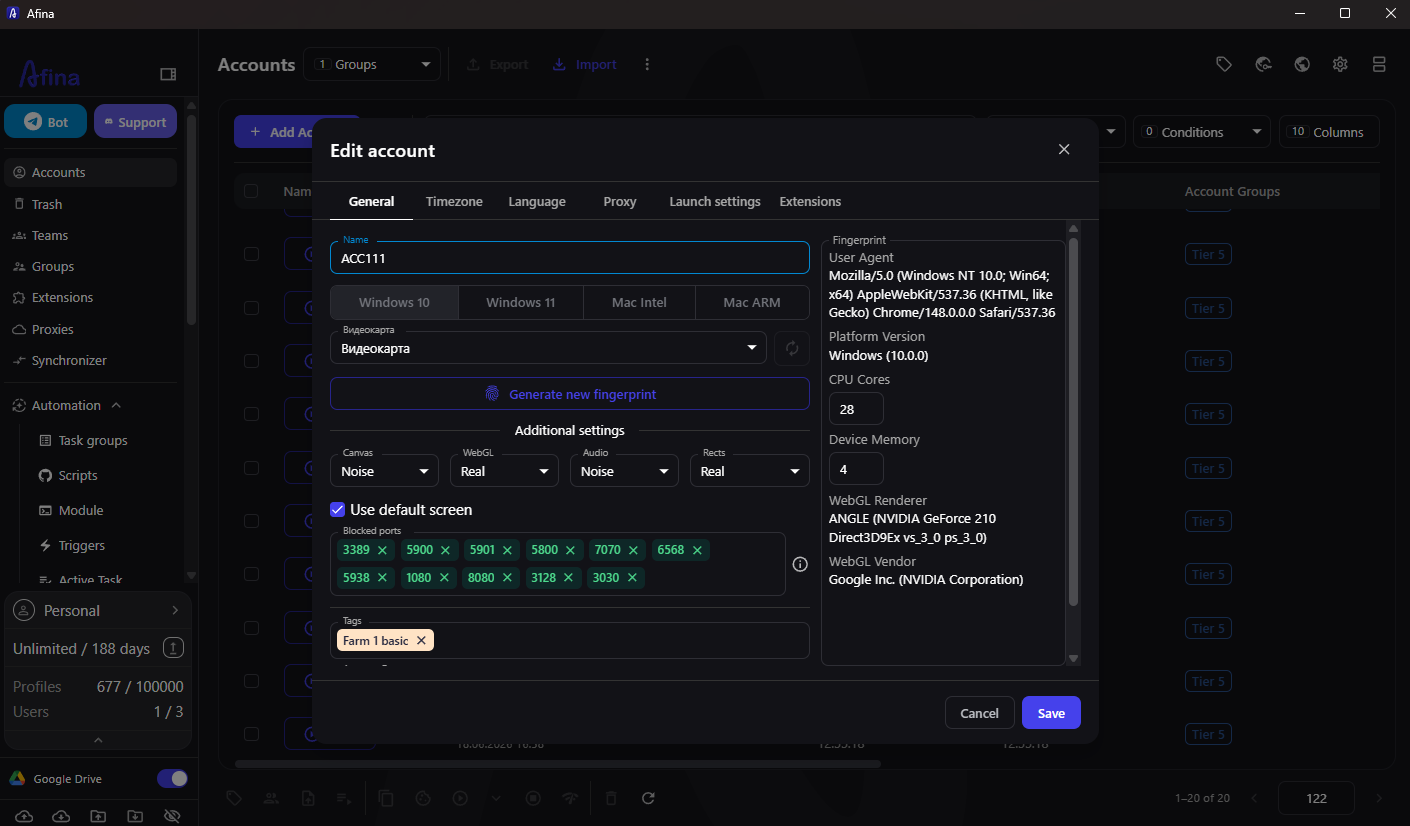
The digital fingerprint of each profile is created from real device configurations, not from random values. This is the key difference from crude spoofing. A realistic combination blends in with the crowd, while a random one catches the eye of the very systems you are trying to bypass. Inside the profile, you control the parameters that are usually prone to leaks:
User agent and operating system, chosen so that the claimed platform matches everything else;
Canvas, WebGL, Audio, and Rects noises, which change how tracking scripts read the hardware;
Screen resolution, fixed to a specific value instead of the default value to avoid mismatches;
CPU threads and device memory, set to common values such as 8, 16, or 32 GB;
Timezone via IP and languages via IP, so that the time and headers automatically follow the proxy region;
Fonts generated to match the operating system and timezone of the profile.
When a profile needs a completely new identity, a single action to generate a new fingerprint instantly updates the hardware parameters. The rest of the time, the values remain stable, which is exactly how a returning real user looks.
Eliminating Network Leaks
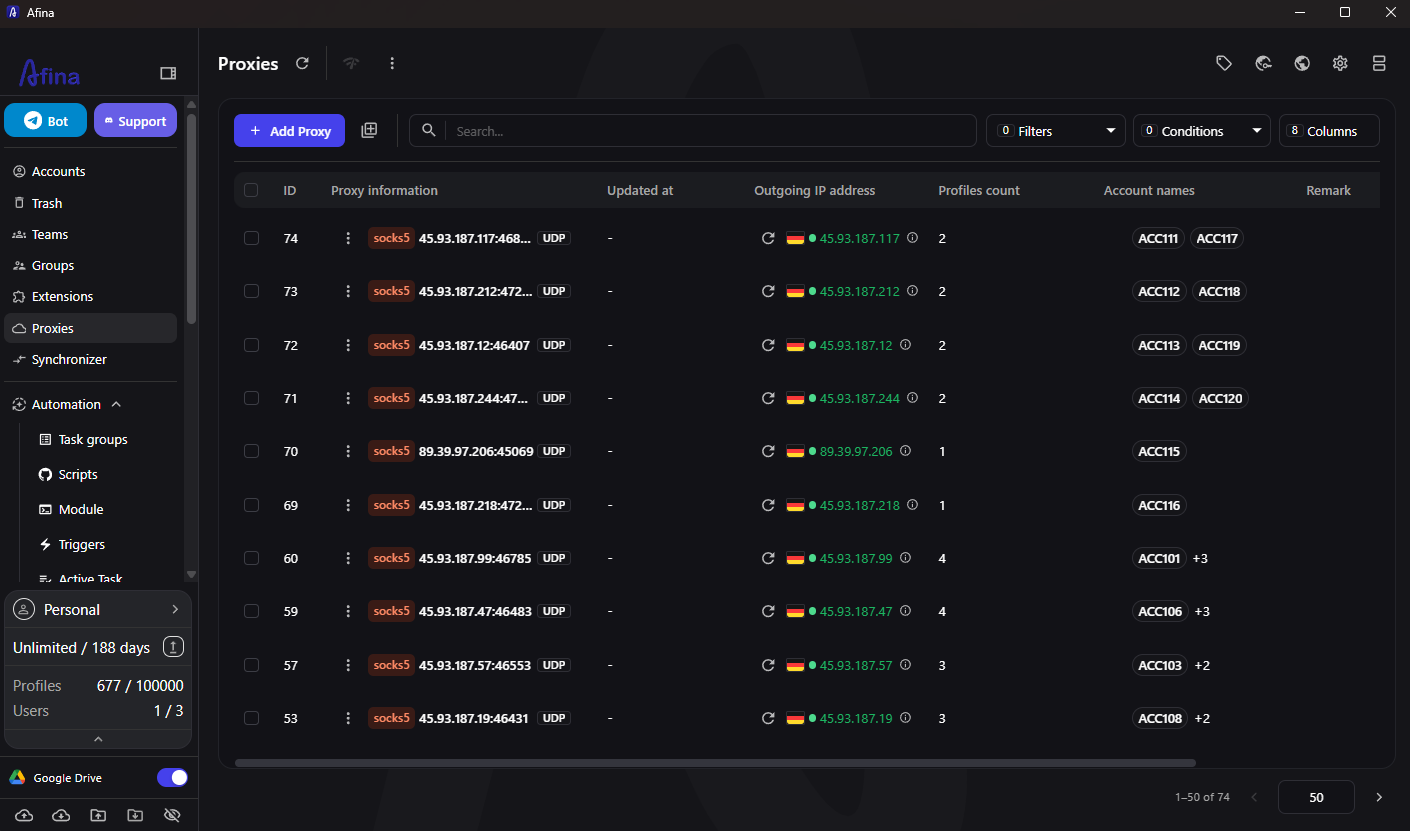
Digital fingerprint discipline only works if the connection matches it. Afina manages the network layer in the same place as the profile.
It works with HTTP, HTTPS, and SOCKS5 proxies and supports residential, mobile, and datacenter addresses, allowing you to match the connection type to the platform you are working with. When a SOCKS5 proxy has real UDP support, WebRTC, QUIC, and WebTransport traffic is automatically routed through it, meaning the public WebRTC IP address and the proxy IP address match without manual manipulation.
Residential proxies often have weak UDP support, and this is exactly where leaks return. For such cases, Afina allows you to completely disable WebRTC in the main settings, which stops the peer-to-peer connection and completely eliminates this leak path. In any case, the decision is yours, and it is made in one place rather than being scattered across extensions.
Scaling Without Losing Control
One isolated profile is simple. The real test is the hundredth one. Afina is built in such a way that the discipline protecting two accounts is maintained even when there are many, adding a structure that manual work cannot keep up with.
Profiles can be grouped, tagged, and organized so that a large pool remains readable. Routine actions, such as warm-ups, are executed through scripts and task groups with limits on the number of parallel sessions and the duration of each. This is crucial for survival because automation that ignores consistency is detected just as easily as a shared digital fingerprint. Running warm-ups on a schedule, across profiles that each hold a stable identity, makes the behavior believable.
Beneath all this, the data remains local. Sensitive information is encrypted on your computer using AES-256 and protected by a key file and a master password that only you possess. Profiles can be synchronized via Google Drive when working across different devices, and this synchronized data remains encrypted, accessible only on a device that has your key file and password.
The Behavioral Layer Most Setups Forget
Even a perfect digital fingerprint and a clean proxy can be undone by how the profile behaves. Anti-fraud systems increasingly monitor patterns over time, not just the values in a single request, and this is exactly the layer most specialists skip because it is harder to notice.
Behavioral signals are things like the speed of performing actions, whether many profiles act at the exact same moment, and whether the session looks mechanically uniform. A pool executing identical steps simultaneously stands out precisely because real people never do that. The same logic applies to consistency within a profile: a returning user has a history, a rhythm, and slight variations, whereas a newly created account that immediately performs high-value actions looks exactly like what it is.
This is where Afina's load distribution tools prove their worth. Running warm-ups through task groups with limits on parallel sessions and a schedule that spreads activity across shifts forces the pool to behave like a group of different people living by different routines. The synchronizer, on the other hand, is needed for cases when you genuinely want to mirror a single action across multiple windows under your own control. Used together, they let you choose between believable independence and intentional, supervised repetition.
Avoid identical actions across multiple profiles at the same moment;
Give new accounts time before executing high-value actions;
Spread automated runs according to a schedule rather than executing them in obvious bursts;
Maintain some natural variation between profiles in the pool.
The digital fingerprint gets your foot in the door. Behavior is what keeps the account alive once it is inside.
A Practical Checklist
If you take away only one thing from this, make it a habit rather than a one-time fix. Before trusting a large-scale setup, ensure that each profile clears the signals that usually lead to linking.
Each profile has its own isolated cookies, cache, and storage;
The digital fingerprint is realistic and stable, not randomly spoofed in every session;
The timezone and language match the proxy region, not your home machine;
WebRTC is either routed through a UDP-supported proxy or disabled;
Automation runs in measured shifts, not in obvious bursts.
Do this right, and most of the unnoticed matches that ruin multi-accounting work will simply stop happening.
Promo codes for new users:
SALE20 — 20% discount on all plans, except Max
SALE30 — 30% discount on the Max plan
Frequently Asked Questions
Why are my accounts linked even with different proxies?
Because the connection usually originates from the browser, not the IP. A shared digital fingerprint, a WebRTC leak, or leftover cookies can link profiles regardless of the proxy. Isolating each profile and assigning it a stable, realistic digital fingerprint eliminates the real root cause.
Is an extension enough to hide a digital fingerprint?
Rarely. Extensions generally change a few surface values, while deeper signals continue to report the real hardware, and the resulting mismatch can stand out more than no changes at all. A profile-level approach maintains the consistency of every parameter.
Which leak is overlooked most often?
WebRTC is one of the most frequent, because it can reveal the real IP through a separate network path even with a proxy configured. Routing through a UDP-supported SOCKS5 proxy or disabling WebRTC eliminates this path.
Does Afina store my account data?
No. Data is encrypted locally using AES-256 and protected by a key file and a master password that only you possess. Even data synchronized via Google Drive remains encrypted and can only be accessed on a device with your key.





Comments 0