
 EN
EN
 UK
UK
 RU
RU
 AR
AR
 BN
BN
 ZH
ZH
 DE
DE
 ES
ES
 FR
FR
 HI
HI
 ID
ID
 UR
UR
 PT
PT
 TR
TR
You've created your first bot or launched a website. Or you've decided to set up a server that doesn't run on your PC. You've heard that people rent a VPS for this. It seems complicated. First of all, all this terminology: SSH, root, console, Linux. Isn't there too much to figure out right from the start?
In this article, we'll break down five questions that scare a beginner before renting a VPS. We'll provide the answers and explain how to choose a VPS rental service.

What is a VPS and how does it differ from regular hosting?
Imagine an apartment building:
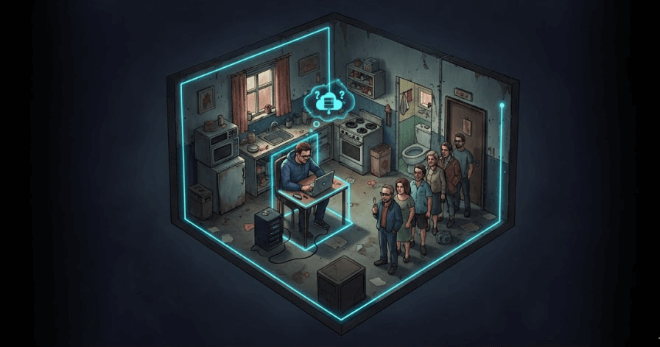
Regular hosting is a room in a communal apartment. You have your own corner, but the kitchen and bathroom are shared with other tenants. If a neighbor throws a party (that is, a crowd of people visits their website), it will get crowded for you. And you can't hang your own chandelier in the room — the landlord won't allow you to renovate to your taste. That is, you cannot change the configuration of your resources.
A VPS is your own apartment. Your own walls, bathroom, and kitchen. Neighbors live in separate apartments. You decide what wallpaper to hang and where to put the sofa.
The main difference between VPS and hosting:
On hosting, you share resources with neighbors and obey the rules of the service.
On a VPS — all resources are yours without sharing. You can manage the server however you want: install any OS and software.
What do you need to know before renting a VPS?
Here are three things a beginner needs to know to have no doubts about their choice:
- You won't break anything. At most, you will have to reinstall the operating system. In modern control panels, this is done with a single button and takes five minutes.
- You don't need to be a programmer. You need to know how to google and read instructions. 90% of tasks have been solved before you, and guides are publicly available. Literally: "how to install a Telegram bot on Ubuntu" — you will easily find a step-by-step guide. Tech support specialists will solve many tasks for you. Or they will point you to a solution.
- It's better to start with Linux, Ubuntu, or Debian. They are free, reliable, and there are a million manuals about them. Don't be afraid of the command line: it's just a way to give commands to the computer using text, rather than mouse clicks. This is how everyone works with a VPS.
What happens if the server is hacked, and how to avoid it?

Not all servers are vulnerable. Those who make stupid mistakes get hacked. Hackers don't need your bot or a website with five visitors. They need a server to send spam, mine cryptocurrency, or jump to other websites. Your server is simply used as a transit point.
How to protect yourself? Three rules:
- Never use simple passwords. Forget about qwerty123, password, and your cat's name. The password must be long and random. Use password generators and managers. Ideally, set up SSH key login right away. It's like a fingerprint: almost impossible to forge.
- Update the system. When you get an "updates available" notification, it's not an ad or a whim of the developers. These are patched security holes. The command sudo apt update && sudo apt upgrade -y takes a minute but can save your server from infection.
- Don't install shady scripts from the internet. If some "guru" on Telegram offers a magic command to speed everything up and asks for your password — run. Most likely, they want to upload a virus to your server.
How to avoid overpaying when choosing a VPS?

90% of projects run on minimal configurations for years. For example, it is irrational to buy a truck to take your cat to the store for food once a week.
So: get exactly as much as you need right now. All decent services allow you to upgrade your plan in one click. The load goes up — you press a button and add resources. The load drops — you scale them back down.
Start with the minimal configuration. This will save money in the first month and won't hit your wallet if the project doesn't take off.
What mistakes do 90% of beginners make when launching a server?
There are many mistakes, but here are the three main ones:
- Opening everything to everyone. When setting up a server, many programs ask to "allow everything" or "open all ports". Don't agree to this. The database shouldn't be exposed to the outside, and access to the admin panel should only be from your IP.
- Working as root. Root is the main administrator, it can do anything. That's exactly why it's dangerous to constantly work under it. Make a mistake in a command — and you can bring down the whole system. Create a regular user, give them permissions for important actions, and leave root for emergencies.
- Not making backups. Accidentally deleted the website folder? Pressed the wrong button? The server crashed? A backup will save you. Set up automatic backups once — and you can sleep soundly.
These are the main fears and mistakes of beginners. Now: where do you get a VPS that will suit a beginner, won't hit your wallet, and will allow you to figure things out without problems?
How to choose a VPS and not regret it
The market is huge. Hundreds of companies, thousands of tariffs, dozens of countries. It’s overwhelming. And it’s easy to trip over the same old hurdles right at the selection stage: overpaying, dealing with incompetent support, or getting a server on the other side of the planet with insane lag.
Let’s take a pragmatic approach to the selection. What do beginners need?
Transparent pricing. No surprises or confusing extra charges.
A clear entry point. So you don't have to write 10 emails to support before making your first payment.
The freedom to make mistakes. And the ability to quickly fix everything with a single button.
Honest hardware. So the gigahertz you bought actually work, instead of being shared among a hundred neighbors.
The right location. The closer the server is to your audience, the faster the response time.
Here is how you can evaluate a service.
How to find a VPS rental service that deserves attention
In such a service, there are no attempts to confuse the client or push unnecessary extras. Everything is fair: you pay for resources, and you choose any location from the available countries without a markup.
A server in Germany costs the same as in the US or Asia. The price is tied only to the plan. This is convenient when you want to test different markets or find the optimal ping for your audience.
Lag-free hardware
Remember the apartment metaphor? In a worthy service, you get a well-renovated apartment:
- NVMe drives on all plans. These aren't old hard drives that lag under any load, and not even regular SSDs. NVMe means cosmic speed. Your website or bot will load instantly, even if there's a lot of data on the server.
- A port up to 10 Gbps is like a wide entrance to the apartment. Neighbors won't create a traffic jam; the channel is always clear.
- And most importantly: full root access. These aren't just empty words. You actually get the keys to the apartment and can do whatever you want. Want to install custom software? Go ahead. Want to fine-tune the security? Do it.
The launch process: faster than ordering a pizza
The scariest moment for a beginner is paying and waiting. What if something goes wrong? What if the access credentials don't arrive?
In a good service, the server is up and running within 10–15 minutes after payment. You simply pay, make some tea, come back — and your SSH access is already waiting in your dashboard.
You pay, you receive. That's it.
Painless scaling
Remember the advice not to buy a plan for future growth? In a decent service, everything is simple:
there are many plans with step-by-step hardware upgrades;
you can choose a custom configuration;
at any moment, you can jump to any other plan, and this move won't affect your data in any way. Zero risk of losing anything.
Locations to choose from
For a beginner, offers like "50 countries to choose from" sound like unnecessary overkill. Why do I need so many if I'm getting a Russian VPS to run a bot?
Because the internet is global. Maybe in a month, the bot will become popular in Europe. Or you might want to set up a proxy for an anti-detect browser with a local IP of another country. Or you'll want to check how a website loads from the US.
In a good service, the following are available:
US and Canada — for global projects;
Germany, France, the Netherlands, the UK — European stability;
Asian countries — for Eastern markets;
The Middle East, Latin America, Eastern Europe.
And once again: the price does not depend on the country. You pay only for the processing power.
Prompt tech support
Support is critical for a beginner. What if something goes wrong? What if you need to ask for advice, but they just send you a link to the documentation?
In a decent service, tech support works 24/7. And most importantly — they actually help, rather than brushing you off with canned responses. Don't know how many resources your project needs? Write to them, describe the task — they will guide you. Doubting your OS choice? They will give you advice. Need a custom configuration for a non-standard task? They will assemble it individually for you. That is how a good company operates.
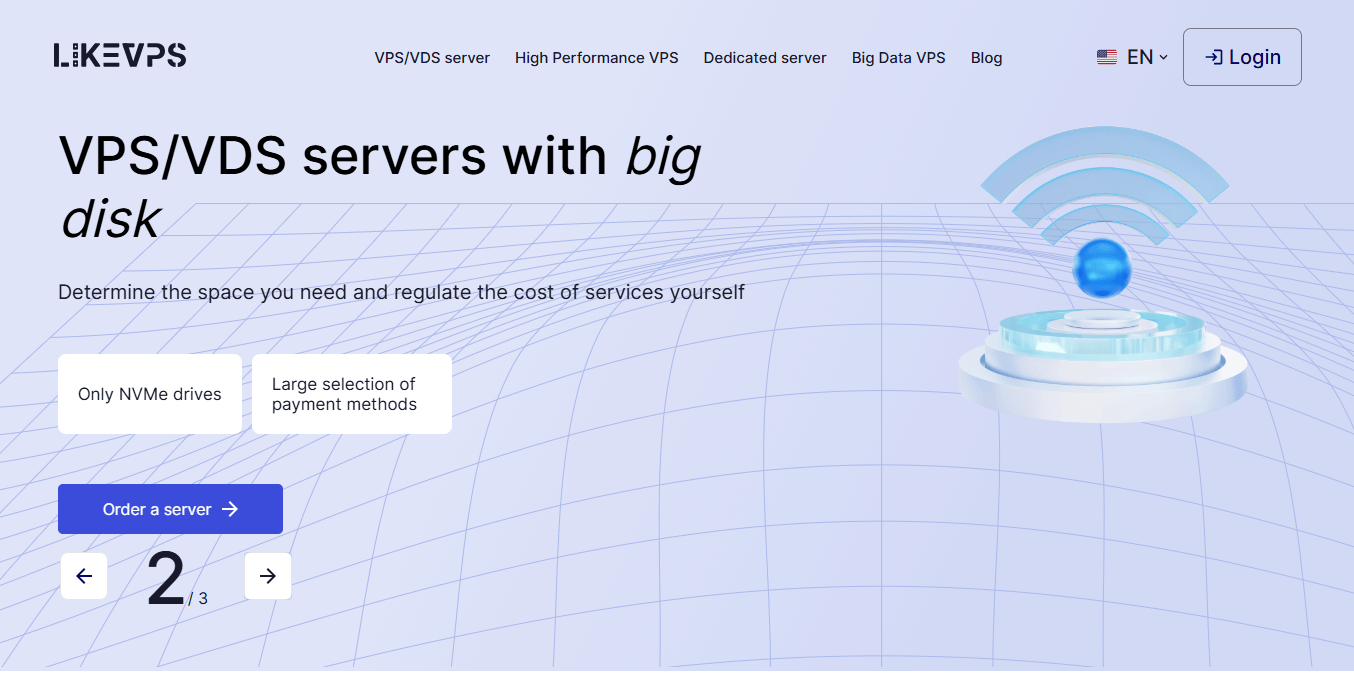
We recommend LikeVPS — a service that meets the criteria of a good VPS provider.
Pros of the service:
35 countries at the same price — you pay more only for resources.
NVMe drives and high bandwidth — real operating speed.
Root access — full control over the system.
Quick start — the server is up and running in 15 minutes.
Easy scaling — upgrades happen without data loss. You can request a custom configuration.
Live support — they will actually help you, not just send you to read the manual.
LikeVPS is a platform where it's convenient to learn, test, and launch projects. And a beginner will feel comfortable here too, because the service addresses those exact doubts we discussed in the first part of the article.
On top of all this, the LikeVPS team has provided the promo code new_dev10, which gives a 10% discount on the first order.
Go to LikeVPS.net, choose any of the 35 countries, launch your first server, and get to work. Your project deserves a proper apartment, not a room in a shared flat.




Comments 0